
Every business mile, logged while you drive.
VaultHub notices when you start driving, maps the route with GPS and adds the trip to your log. Mark it Business with one tap and watch your IRS deduction add up.
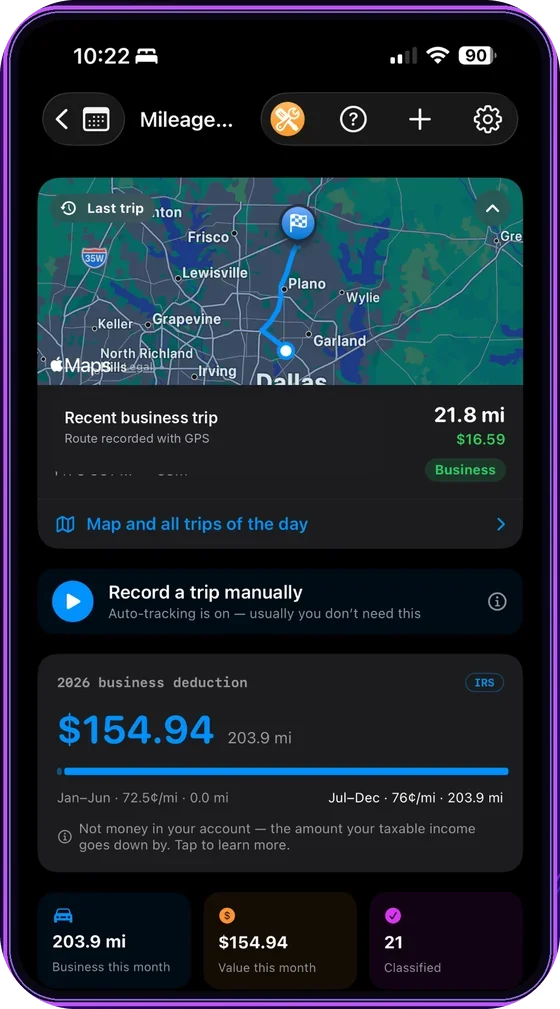
Set it up once. Then just drive.
Turn on auto-detect
Allow location and motion access. VaultHub uses the iPhone's motion coprocessor to recognize driving without draining your battery.
Drive like normal
Trips start and stop on their own. A live card and Live Activity show the current trip, distance and time.
Sort and export
Mark trips Business or Personal, add notes or jobs, and export a CSV or PDF report when it's tax time.
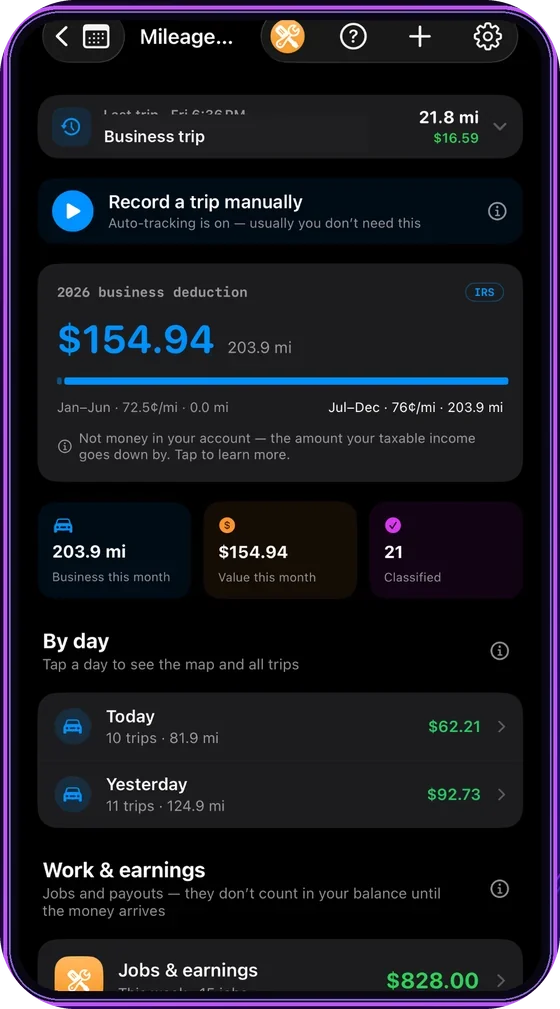
A clean log, day by day
Each day shows trips, miles and deduction value. Tap a day to see every route on one map and each stop where you worked.
- Start and end address for every trip
- Map pins at the job location, not where you started
- Notes, job codes and order numbers per stop
- Optional mileage totals right in your finance calendar
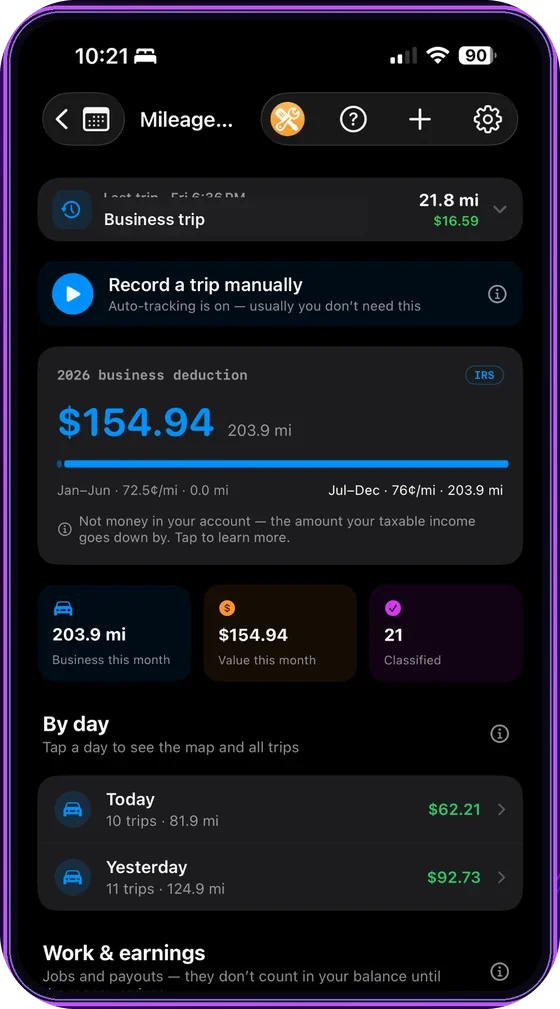
The right rate for every trip
The IRS raised the 2026 business rate mid-year. VaultHub values January–June trips at 72.5¢ and trips from July 1 at 76¢ automatically — no spreadsheet math.
- Year-to-date deduction and business miles
- Fuel costs and multiple vehicles
- Miles or kilometers
- CSV and PDF reports
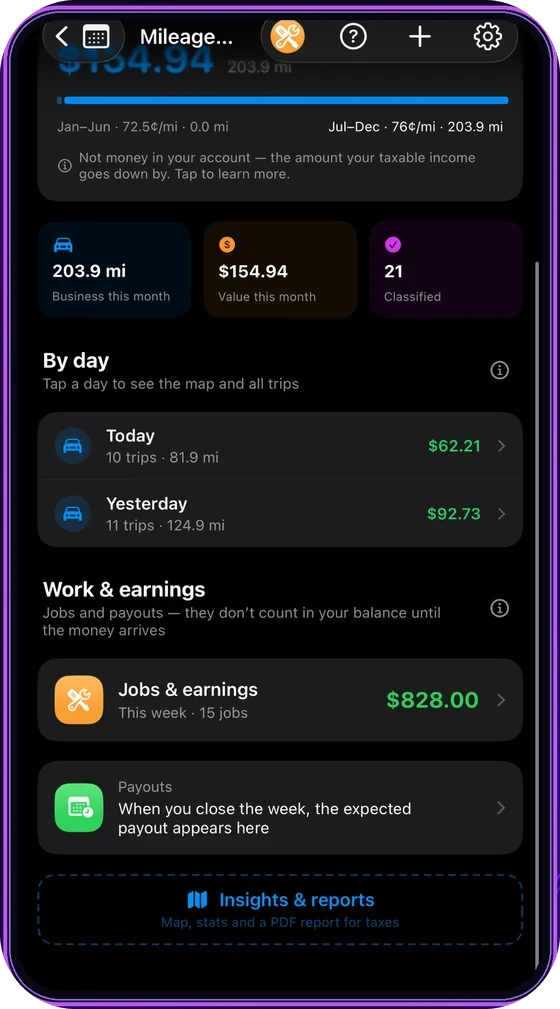
Built for workdays, not commutes
Whether you drive for a rideshare app or run service calls, VaultHub follows the way you actually work.
- Rideshare & delivery: go online/offline, pick your platforms, log earnings per shift
- Field service: jobs per address, weekly earnings and expected payouts
- Proof of work: timestamped photos with the job address
- Commute before your first stop can be marked Personal
Your routes stay on your phone
Trip routes and addresses are stored on your iPhone and synced only through your private iCloud. VaultHub doesn't sell location data and doesn't need an account.
Mileage tracker FAQ
Do I need to open the app before every drive?
No. Once auto-detect is on and location access is set to Always, VaultHub notices drives on its own, even when the app is closed. You can still start and stop trips by hand.
Why does VaultHub ask for “Always” location access?
Detecting a drive while the app is closed requires it. VaultHub only asks after you turn on auto-detect, and you can record trips manually with “While Using” access instead.
Will stopping at a red light end my trip?
No. A trip ends only after you've been parked for several minutes. You choose the wait time in settings, and VaultHub checks real movement before asking whether you're still driving.
Is the commute to my first stop deductible?
Usually not — the IRS treats driving from home to a regular workplace as commuting. Rules differ for temporary work locations and home offices, so check with a tax professional. VaultHub lets you mark any trip Personal.
What does the export include?
Date, start and end address, miles, purpose (Business or Personal), notes and the estimated deduction. Export as CSV for spreadsheets or a PDF report for your accountant.
Does VaultHub work for Uber, Lyft and DoorDash drivers?
Yes. Shift mode lets you go online and offline, choose your platforms, and record earnings per shift. VaultHub isn't affiliated with any of these companies.
VaultHub shows estimates based on IRS standard mileage rates. It is not tax advice — talk to a tax professional about your situation.